Why You Need a Reliable Chronological Age Calculator
From writing speech-language pathology reports to verifying school enrollment eligibility, chronological age calculators serve critical professional and personal purposes. But not all calculators handle the complexities of date arithmetic correctly. Some fail to account for leap years. Others use approximate month lengths. A few even send your data to remote servers.
This guide reviews the best free chronological age calculator tools available in 2026, categorized by use case and accuracy level.
Top Chronological Age Calculators for 2026
1. ChronoAgeCalculator.com
Best for: General use with comprehensive results
This browser-based tool calculates exact age in years, months, days, weeks, and even total hours lived. It handles leap years correctly and allows calculation for any past or future date. The interface is clean, mobile-friendly, and requires no sign-up.
Key Features:
- Leap year awareness with detailed explanation
- Next birthday countdown
- Total weeks, days, hours, minutes, and seconds lived
- Privacy-focused (browser-based, no data storage)
2. Evalubox Chronological Age Calculator
Best for: Speech-language pathologists and clinicians
Built specifically for SLPs, this tool addresses the frustration of bookmarked calculators disappearing or breaking. It produces age in the years-months format required by Pearson assessments like CELF-5, PPVT-5, and EVT-3. The tool is maintained by practicing clinicians who use it weekly.
Key Features:
- SLP-focused output format
- Educational content on manual calculation
- Reliable uptime and maintenance
- Free with no registration
3. CalculatorSoup Age Calculator
Best for: Detailed time duration calculations
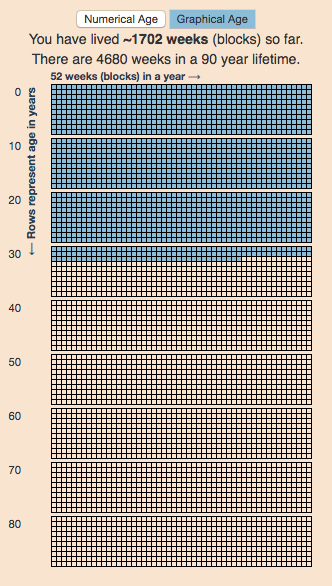
This versatile tool goes beyond basic age calculation, offering results in years, months, weeks, days, hours, minutes, and seconds. It can also reverse-calculate: if you know someone’s age on a specific date, it can find their date of birth — useful for genealogy research.
Here’s what a comprehensive age calculator interface looks like:
Key Features:
- Multiple output formats
- Reverse date of birth calculation
- Next birthday and event countdown
- Works for pets, historical events, and objects
4. Economic Times Age Calculator
Best for: Quick, no-frills calculation
This simple tool calculates exact age in years, months, and days. It also provides a “Singular Expression” section showing age in months, weeks, days, hours, minutes, and seconds. The interface uses dropdown menus for date selection, reducing format confusion.
Key Features:
- Dropdown date selection (no format confusion)
- Singular expression breakdown
- Gregorian calendar accuracy
- Free and instant
5. Microsoft Store Chronological Age Calculator App
Best for: Offline desktop use
For Windows users who need an offline solution, the Microsoft Store offers a free chronological age calculator app. It supports outputs in years, months, days, and calculates from any user-defined date to the current day.
Key Features:
- Offline functionality
- Desktop integration
- Multiple output formats
- No internet required after installation
Mobile Age Calculator Apps
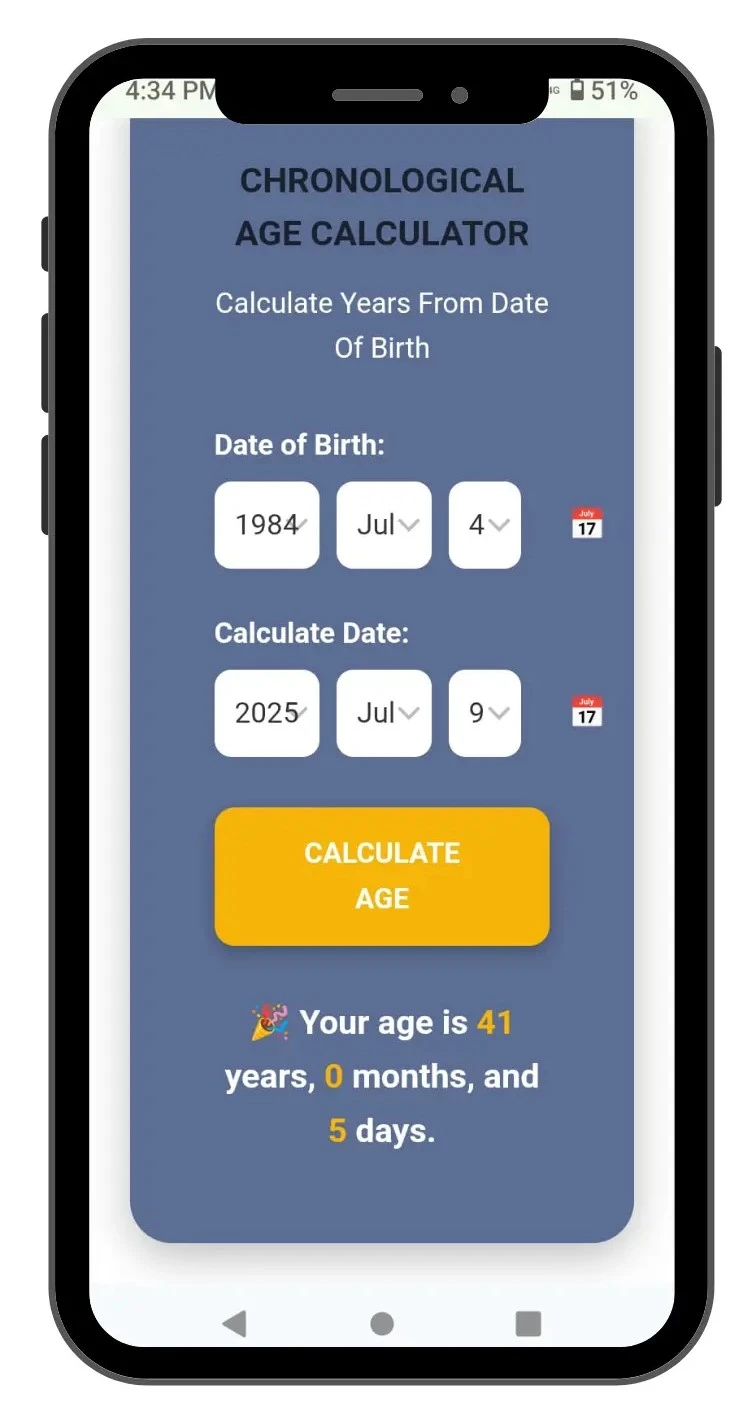
For on-the-go calculations, mobile apps provide convenience. Top-rated options include Age Calculator for simple reliable offline use, Chronological Age Calculator for comprehensive educational content, and Simple Age Calculator for minimalist design and instant results.
Here’s what a typical mobile app interface looks like:
Assessment Compatibility Reference
Different publishers format chronological age differently. Here’s what each major assessment requires:
| Assessment | Publisher | Age Format | Notes |
|---|---|---|---|
| CELF-5 | Pearson | Years; Months | Age at time of testing |
| PPVT-5 | Pearson | Years; Months | Use exact test date |
| EVT-3 | Pearson | Years; Months | Use exact test date |
| GFTA-3 | Pearson | Years; Months; Days | Days included in some norms |
| CASL-2 | Pearson | Years; Months | Age at time of testing |
| Brigance IED-III | Curriculum Associates | Years; Months; Days | Full date breakdown |
| ASQ-3 | Brookes Publishing | Age interval in months | Corrected age for preterm |
How to Choose the Right Age Calculator
| Your Need | Recommended Tool | Key Feature |
|---|---|---|
| SLP clinical reports | Evalubox or ChronoAgeCalculator | Years-months format, test date flexibility |
| School enrollment | CalculatorSoup or Economic Times | Cutoff date calculation, total months |
| Personal curiosity | Any free online calculator | Seconds-level precision, fun facts |
| Offline desktop use | Microsoft Store app | No internet required |
| Genealogy research | CalculatorSoup | Reverse date of birth calculation |
Common Mistakes When Using Age Calculators
- Ignoring leap years — Creates 1-day errors every 4 years; over a lifetime exceeds 20 days
- Using approximate month lengths — Assuming 30 days per month leads to cumulative errors
- Wrong date format — Day-month-year versus month-day-year confusion is the number one user error
- Using today’s date for past reports — Always use the exact test date for assessments
- Confusing calculators — Using a biological age calculator when you need chronological age
FAQ: Free Age Calculators
Q: Is the Pearson chronological age calculator still available? A: Pearson discontinued their live age calculator. Clinicians now use alternatives like Evalubox and ChronoAgeCalculator.
Q: Are free age calculators accurate for clinical use? A: Reputable calculators that handle leap years and exact month lengths are accurate. Always verify against manual calculation for critical reports.
Q: Can I calculate age in months for school admissions? A: Yes — most calculators provide total months. Some, like CalculatorSoup, offer detailed breakdowns including weeks and days.
Q: Do age calculators store my data? A: Browser-based calculators typically don’t. Always check privacy policies, especially for apps that require installation or account creation.
Conclusion
The right chronological age calculator depends entirely on your purpose. For clinical SLP work, choose a tool that outputs years-months format and allows test date entry. For school administrators, prioritize total months and cutoff date flexibility. For personal use, any accurate free calculator will do. Bookmark your preferred tool and verify its accuracy periodically — because when it comes to assessments, eligibility, and documentation, precision matters.